
Quick Answer:
To switch company store vendors without disruption, run the new program in parallel with your current one, sell through existing inventory on a defined schedule, and migrate by location or category instead of all at once.
- Audit inventory, spend, SKUs, and active users before you contact a single new provider.
- Read your contract for auto-renewal dates, notice windows, and inventory buyback language.
- Start with a pilot — one department, one location, or overflow work your current vendor can’t cover.
- Lock logo files, color standards, approval rules, and budgets before the first order ships.
- Choose your next partner by service model, not by the annual minimum they require.

Switching company store vendors should improve service, protect your brand, and give your team more flexibility. It should not lock you into a $250,000 annual spend requirement or push you into a self-serve portal where nobody knows your name.
Most transitions go badly for a boring reason: inventory, contracts, and internal process get left unplanned. The result is stranded stock, delayed orders, confused employees, and a brand that drifts a little further off-standard with every reorder.
What follows is the same company store transition plan we walk clients through — the sequence, the decisions, and the questions to ask — so you can move on your timeline with your investment protected.
Why Company Store Vendor Transitions Stall
Three concerns keep most organizations inside a program they’ve already outgrown:
- Stranded inventory. You’ve paid for stock sitting on a shelf somewhere, and nobody wants to be the person who wrote it off.
- Contract lock-in. The agreement is dense, the renewal date is fuzzy, and no one has read the termination clause since it was signed.
- Service downgrade. The fear that the next provider will be worse — that you’ll trade a known frustration for an unknown one and end up in a ticket queue.
Every one of those is legitimate under a platform-first, volume-driven model. Each becomes manageable when the new partner assigns a named human to the account and builds the program around your constraints instead of their thresholds.
The 7-Step Company Store Transition Plan
A complete company store transition plan covers seven stages. Skipping any one of them is where the pain comes from.
1. Build your baseline before you shop
Pull twelve months of order history, current on-hand inventory by SKU, active user count by department and location, and your actual per-unit landed costs. Most teams discover two things immediately: a meaningful percentage of SKUs haven’t moved in a year, and the “low” platform pricing looked low because decoration, setup, storage, and freight were quoted separately.
You cannot evaluate a new provider without this. You also can’t negotiate with your current one.
2. Design the inventory exit first, not last
Decide now what happens to each category of existing stock — sell through, phase out, redeploy, or retire. This single step removes the biggest objection to switching, and it’s the step platform-first providers usually decline to help with because it doesn’t generate new orders.
3. Read the contract for the real exit terms
Look specifically for the auto-renewal date, the notice window (often 60 or 90 days), any minimum purchase commitment, who owns stored inventory, who owns your artwork files, and whether there’s a buyback or disposal clause. In practice, the majority of agreements permit adding a second supplier for categories the incumbent doesn’t cover — but confirm that language with your own counsel before you act on it.
4. Rebuild brand governance before launch, not after
This is where programs quietly fail. Before the first order ships, document approved logo files and lockups, exact PMS and thread color matches, approved apparel brands and blanks, who may order what, spending allowances by role or department, and the approval workflow for anything non-standard.
There is a measurable cost to getting this wrong. ASI’s 2026 Global Advertising Impressions Study found that a $6 branded tote generates close to 5,000 impressions over its lifetime at roughly one-tenth of a cent each, and even fleece and outerwear stay under four-tenths of a cent because they accumulate thousands of views. An off-standard logo is not a cosmetic problem. It is thousands of already-paid impressions spent showing the wrong version of your brand.
Configured on day one, these rules are invisible. Retrofitted six months in, they mean recalling merchandise.
5. Pilot in parallel
Do not flip the whole program at once. Run the new provider alongside the incumbent on a narrow slice — a single location, one department, a trade show, or the overflow work your current vendor keeps missing. You get a real quality sample, a real lead-time test, and a real service test at almost no risk.
6. Phase the migration
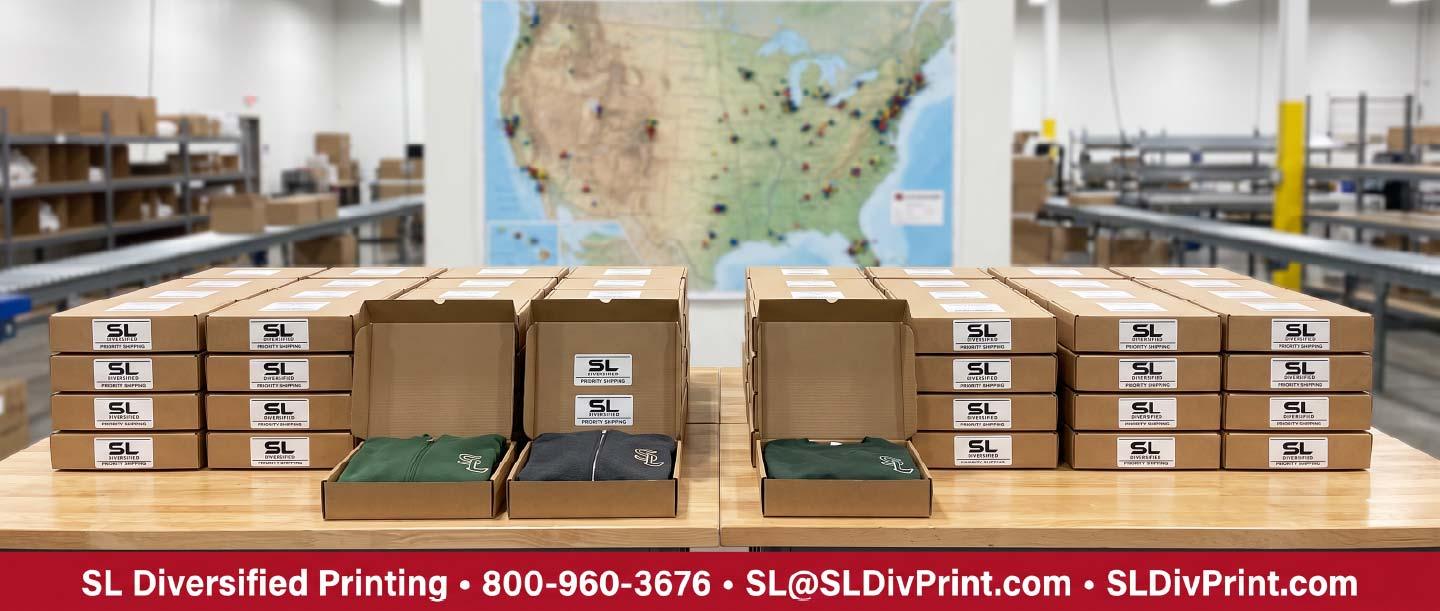
Once the pilot proves out, move in waves by location, department, or product category. Employees keep ordering the entire time. Nobody experiences an outage with SL Diversified Printing nationwide kitting and fulfillment.
Phasing matters most for distributed workforces, where a single missed shipment window can leave dozens of new hires without onboarding kits. If that’s your situation, it’s worth understanding how remote teams centralize swag fulfillment before you design the migration sequence.
7. Communicate, then measure
Send one clear internal announcement explaining what’s changing, what isn’t, and who to contact. Then track the things that actually indicate health: average order-to-delivery time, reorder accuracy, off-standard requests, and unresolved issues older than 48 hours.
How to Move a Company Store Without Inventory Risk

Existing stock is the number one reason organizations delay a switch they’ve already decided to make. It’s also the easiest problem on this list to solve, because usable inventory has more exits than most people realize:
- Sell-through window. Keep legacy SKUs live in the new store at current pricing until depleted or until a fixed sunset date, whichever comes first.
- Hybrid running. New product launches alongside old. Employees see one catalog; you see a controlled retirement schedule underneath it.
- Internal redeployment. Route slow-moving stock to onboarding kits, service anniversaries, or internal events where the spend was already budgeted.
- Event and clearance absorption. Trade shows, job fairs, and open houses consume overstock quickly and legitimately.
- Charitable placement. Items that are still current-brand and wearable can often be donated rather than written off. Confirm treatment with your finance team.
- Non-logo blanks. Undecorated stock frequently transfers directly into the new program with no loss at all.
The honest limit: if your logo changed, or the stock is genuinely obsolete, no plan makes it valuable again. What a plan does is make sure that’s a small, known number instead of an unknown one you keep postponing.
Platform-Only Provider vs. Branding Concierge

Both models are real, and both work — for different organizations. The mistake is choosing the wrong one for your size and complexity.
| Description | Platform-Only Provider | Branding Concierge Model |
|---|---|---|
| Who you talk to | Ticket queue, rotating reps | One named contact who knows your program |
| Minimum for priority service | Frequently 0,000+ annual spend | None |
| Program design | Templated storefront | Built around your locations, budgets, and approvals |
| Order flexibility | Fixed pack sizes and locked SKUs | Flexible quantities, one-offs, specialty runs |
| Rush requests | Standard lead times, escalation forms | 24–48 hour rush capability when it’s warranted |
| Inventory transition | Largely your problem | Sell-through and phase-out plan built with you |
| Brand control | Whatever the template permits | Logo rules, color standards, and approvals configured to spec |
| Scope | Storefront ordering | Print, apparel, embroidery, screen printing, kitting, nationwide fulfillment |
| Best fit | Very large, high-volume, genuinely self-serve programs | Mid-size and specialty programs that need judgment applied |
If you run a 20,000-employee program with total SKU standardization and no exceptions, a platform is the right answer and we’ll tell you so. If your program involves multiple locations, mixed decoration methods, seasonal spikes, or a marketing team that occasionally needs something custom by Thursday, a templated system will fight you every week.
Why Annual Minimums Are the Wrong Selection Criterion
A $250,000 minimum isn’t a quality standard. It’s a filter that tells you how a provider allocates attention.
It is also not a market condition. PPAI’s 2025 Distributor Sales Volume Estimate put U.S. distributor sales at $27.1 billion. In a market that size, a spend threshold is one company’s internal policy — not the price of admission to good service.
A flexible company store provider earns priority through responsiveness, not through your PO volume. When you evaluate a company store without minimums, what you’re really buying is proportional service — the same access to a decision-maker whether this quarter’s order is 40 jackets or 4,000.
10 Questions to Ask Before You Switch Company Store Providers
- Who is my named point of contact, and what is their direct number?
- What is your standard response time, and what happens outside business hours?
- Will you help build the sell-through plan for our existing inventory?
- Can we run a paid pilot before committing to a full migration?
- What is the minimum order quantity per SKU, per reorder?
- Is decoration handled in-house or brokered out, and how does that affect lead times?
- How are brand standards enforced — technically, or by review?
- Who owns our artwork files and stored inventory if we leave?
- What is your true rush capability, and what does it cost?
- Show me a program comparable to ours in size and complexity.
Question 10 matters most. Any provider can describe a process. Fewer can point to a comparable program running today.
How Long Does a Company Store Vendor Transition Take?
Most well-scoped transitions move in weeks, not quarters. A single-location or single-category migration typically runs two to four weeks from approved roadmap to first order shipped. Multi-location programs with significant existing inventory generally run six to twelve weeks, phased, with employees ordering uninterrupted throughout.
The variable is rarely production capacity. It’s how quickly internal stakeholders align on brand standards and budget rules — which is exactly why Step 4 comes before Step 5.
Who You’re Working With
SL Diversified Printing has operated as a boutique branding and promotional products company since 1987, based in Scottsdale, Arizona and shipping nationwide. Nearly four decades in, we’ve handled custom apparel, embroidery, screen printing, promotional products, retractable banners, trade show displays, kitting, and fulfillment — including 24 to 48 hour rush production when a date can’t move.
For context on the category: PPAI has run its annual survey of U.S. distributor sales since 1965, and it remains the industry’s most trusted size estimate. This is a mature, well-measured business — which is exactly why the difference between providers comes down to service model rather than technology.
We are deliberately not the highest-volume provider in this category. We are the one that answers the phone, knows your logo standards without looking them up, and tells you when a platform-only competitor is the better fit for your situation.
Key Takeaways
- You almost never need to wait for a contract to expire — parallel running is the standard approach.
- Design the inventory exit before you evaluate providers; it removes the largest perceived barrier.
- Lock brand governance before launch. Retrofitting it later means recalls.
- Phase by location, department, or category so employees never experience an outage.
- Judge providers on service model, transparency, and comparable programs — not on the minimum they require.
Ready to Build Your Transition Plan?
If your current company store feels rigid, slow, or built around someone else’s volume targets, bring us the messy version: your inventory list, your contract dates, and the parts that frustrate you.
We’ll map a practical transition roadmap around your actual timeline — no pressure, no artificial spend requirements, and no obligation to move a single order until you’re ready.
[Get Your Free Transition Plan]
Or reach us directly: 800-960-3676 | SL@SLDivPrint.com
SL Diversified Printing • 6501 E. Greenway Pkwy., Suite 103-511, Scottsdale, AZ 85254
Frequently Asked Questions (FAQs)
Do I need to wait until my current contract ends to switch company store vendors?
Usually no. Many organizations begin a new program in parallel — starting with overflow work, a specialty category, or a single location — and migrate the remainder as the existing agreement winds down. Review your termination and exclusivity clauses with counsel first.
What happens to our existing inventory during a company store vendor transition?
It gets a sell-through or phase-out schedule. Legacy SKUs stay orderable until depleted or until a set sunset date, while new product launches alongside them. Undecorated blanks often transfer directly into the new program with no loss.
How long does it take to switch company store providers?
Two to four weeks for a single location or category. Six to twelve weeks, phased, for multi-location programs with meaningful existing stock. The roadmap is agreed before anything moves.
Do you require a minimum annual spend?
No. There is no $250,000 annual minimum, and no minimum of any kind is required to receive a dedicated point of contact and priority service.
Can we run two company store vendors at the same time?
Yes, and it’s the lowest-risk way to switch. Parallel running lets you test quality, lead times, and responsiveness on real orders before committing the full program.
Will employees have to learn a new ordering process?
Only briefly. Ordering paths are kept as close to the existing experience as possible, and the change is introduced in phases with a single internal announcement rather than a hard cutover.
Who owns our artwork and digitized embroidery files?
You should. Confirm ownership in your current agreement before you leave — some providers retain digitized files. We provide your files on request, without conditions.
Can you support remote and distributed teams?
Yes. Nationwide fulfillment, individual drop-shipping, and kitted onboarding packages are core capabilities. Our breakdown of why remote teams centralize swag fulfillment covers how distributed programs are typically structured.
Can you handle apparel, promotional products, decoration, kitting, and fulfillment together?
Yes — custom apparel, embroidery, screen printing, promotional products, printed collateral, banners and displays, kitting, and nationwide fulfillment under one relationship and one point of contact.
What does it cost to switch company store vendors?
Building the transition roadmap costs nothing. Real costs are limited to new product setup and any inventory that genuinely can’t be redeployed — which the sell-through plan is specifically designed to minimize.
Can we move only part of our program?
Yes. Many clients start with one location, one department, or a single category such as executive gifts or trade show materials, then expand once the working relationship is proven.